

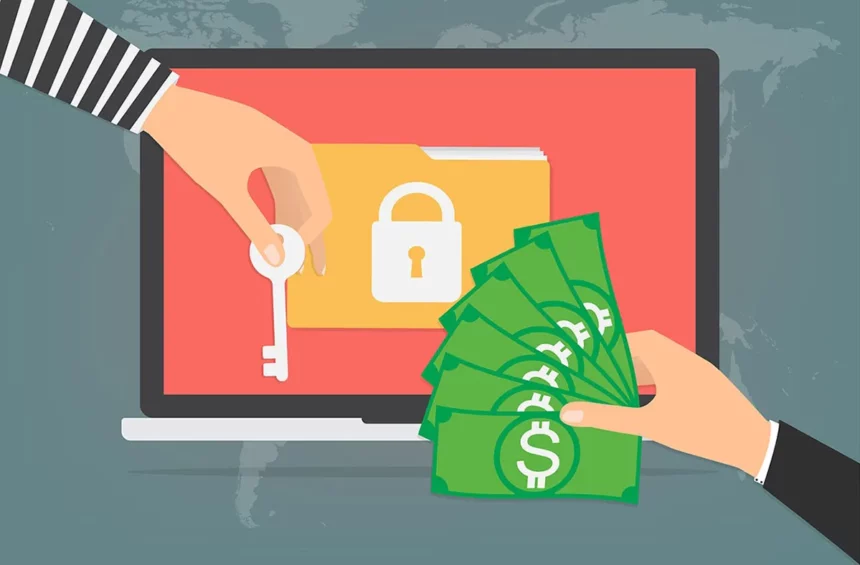
Have you been reading about something called a Ransomware attack in the news? It is a massive global cyber attack that crippled UK’s National Health Service, hit international shipping company FedEx, caused havoc at various international airports, banks and financial institutions, and infected computers in 150 countries. More than 300,000 computers were infected in Taiwan, Ukraine and India.
What is Ransomware?
It is a cyber-attack that involves hackers taking control of your computer and demanding payments in return for your files. They get into your system through a malicious software, encrypt your information and then threaten to block access to your important files until a ransom has been paid.
If you think ransomware attacks can only affect large organisations and not individuals, think again. Ransomware attacks are not just limited to corporations.
The ransomware program called WannaCry asked for about $300 to allow users access to their files, and the price increased over time.
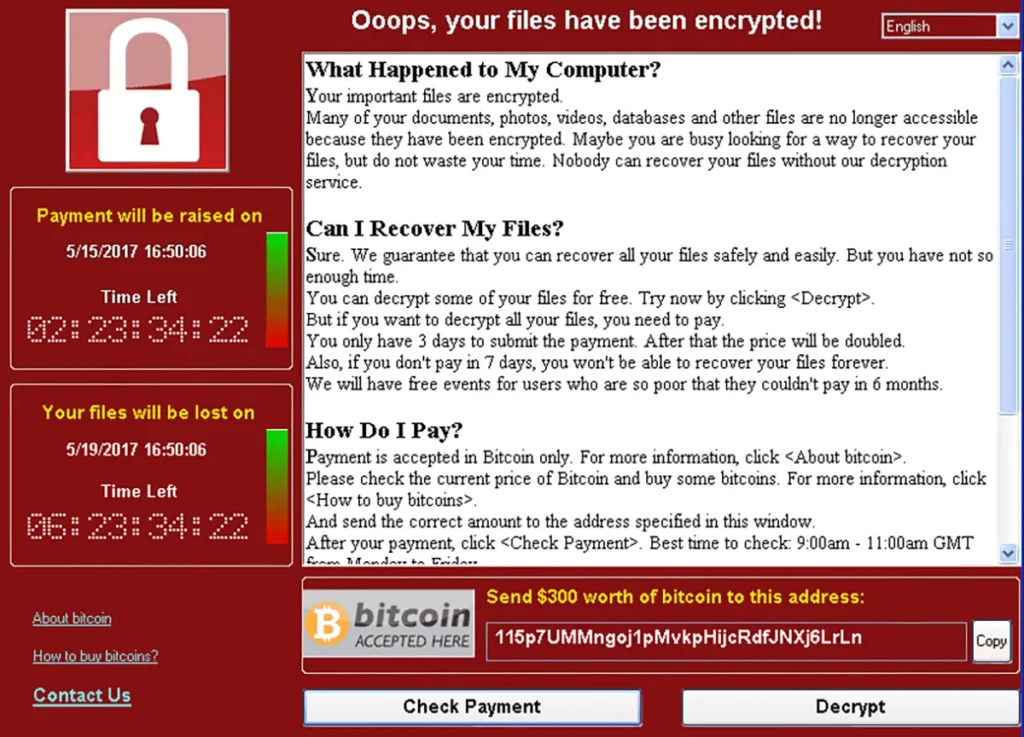
WannaCry exploited a vulnerability in the Windows Operating System by Microsoft, which released a patch to fix it in March. However, people don’t always install updates and patches on their computers and so this means vulnerabilities can remain open a lot longer and make things easier for hackers.
How does Ransomware Get into your System?
The easiest way is through emails. It is often delivered via emails, which trick the recipient into opening attachments and releasing malware onto their system in a technique known as phishing.
Once your computer has been affected, it locks up the files and encrypts them in a way that you cannot access them anymore. It then demands payment in bitcoin in order to regain access. Security experts warn there is no guarantee that access will be granted after payment. Some ransomware that encrypts files ups the stakes after a few days, demanding more money and threatening to delete files altogether.
What Can You Do to Protect Your Computer?
With advanced anti-virus software, it is possible to remove the virus from a computer. It can also be done manually by putting a computer into safe mode” and manually removing the infected files. However, prevention remains the best form of defence.
4 Easy Steps to Protect Yourself from Cyber Attacks
1. Back up Your files
The greatest damage people suffer from a ransomware attack is the loss of files, including pictures and documents.
The best protection against ransomware or any cyberattack is to back up all of the information and files on your devices in a completely separate system. A good place to do this is on an external hard drive that isn’t connected to the internet. This means that if you suffer an attack you won’t lose any information to the hackers.
2. Do Not Open Suspicious Emails or Attachments
For attacks like ransomware to work, hackers need to download malicious software onto a victim’s computer. This is then used to launch the attack and encrypt files. The most common ways for the software to be installed on a victim’s device is through phishing emails, malicious adverts on websites, and questionable apps and programs.
People should always exercise caution when opening unsolicited emails or visiting websites they are unfamiliar with. Never download an app that hasn’t been verified by an official store, and read reviews before installing programs.
3. Keep Your Software Updated
Security experts say users should ensure their computer software is always up to date. Often important security updates are contained within these downloads and can prevent known viruses from infecting a device.
4. Use an Anti-Virus Program
This is an age-old computer security tip. Antivirus programs can stop ransomware from being downloaded onto computers and can find it when it is. Most antivirus programs can scan files to see if they might contain ransomware before downloading them. They can block secret installations from malicious adverts when you’re browsing the web, and look for malware that may already be on a computer or device.